Electric Wheelchair Width 0.72 & Length 1.36 metres
28 Jun 2025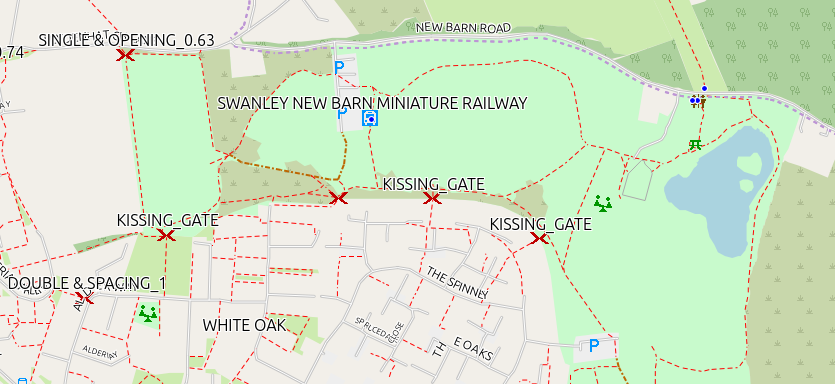
All mapping data is derived from OpenStreetMap, including the downloadable maps. Many thanks to OpenStreetMap contributors for their skill & dedication.
Everything here is freely available, but there are no guarantees that it will work. You’re still responsible for following the laws of the land, and the rules of the road. Data here, and on the maps, may be wrong, or out of date! I hope it helps you, but can’t guarantee it
Table of Contents
- About
- Public and Private
- Using the maps
- Routing
- Updates
- New Versions of the Maps
- Adding Information to OpenStreetMap
- Can you help?
- Downloads
- Feedback
- Why do I do this?
- Credits
About
Designed for an electric wheelchair 0.72 metres wide, and 1.36 metres long.
I have a friend with a son who uses an electric wheelchair. In the past they’ve driven to a park somewhere, and then found they couldn’t get the wheelchair out of the car park.
Hopefully this will help you to decide what your route should be.
Icons
The main icons are described below. At higher zoom levels all you see is the icon, as you zoom in details of the barrier will appear.
 This icon represents a barrier which has been updated with all tags describing its type, and, if needed, sizes of any openings. The barrier there will probably block your route and prevent you going further.
This is the criteria used in creating this map (with links to the OpenStreetMap wiki entry concerning the barrier);
- 2 or more steps,
- a stile of whatever type,
- a kissing gate - there are two types of kissing gates that may possibly allow passage, and they are mapped according to the available gaps (Large Square Profile, and Large Circular Profile),
- A bollard or block with a gap allowing passage of less than 0.72 metres
- A gap / entrance designed to allow access, or a gate with a width of less than 0.72 metres,
- Cycle_barrier - there are several different types. A double or treble will be difficult to negotiate with an electric wheelchair. Not only the available width, but also the spacing between the barrier parts will be significant. If the spacing is less than 1.36 metres, they are marked with the
 This icon is used when the tagging is incomplete - we can’t be sure if this will block your progress or not. Adding the missing tags on OpenStreetMap is needed.
.
Public and Private
This map only shows those barriers which are in a Public area, or which have a Public Highway on them - if a driveway is marked as having a gate, but the driveway or gate is marked as ‘Private’ then this is not shown on this map.
I’ve included routes & barriers which are on paths, bridleways, tracks & highways (roads), as long as they are not marked as private, or for customers only.
.
Using the maps
Although this map is made for a Garmin device, you will find it is best used to plan your journey before you get there!
Using the map on a computer;
- QMapShack https://github.com/Maproom/qmapshack/wiki is a free & opensource programme which is excellent with these maps.
- Garmin Basecamp (TM) Downloadable from Garmin for some operating systems.
Using the map on an Android phone;
- Oruxmaps https://www.oruxmaps.com/cs/en/ Can display Garmin *.img files & has some functionality.
Using the map on a Garmin Device
-
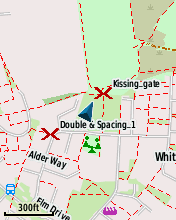
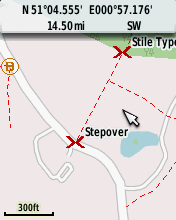
Garmin etrex devices - make sure you choose a device that uses a microSD card to hold the map. Set the navigation mode to Cycle or bicycle. It’s a small screen, but manages well and there are lots of options for functionality. Personally I use an old ‘etrex’ as my main means of collecting mappng date - mine has the barrier map loaded, and when I reach a barrier I wish to update, I create a waypoint there and then make notes in a small notebook, with the waypoint number as a reference.
-
Garmin Edge devices - make sure you choose a device that uses a microSD card to hold the map. Small screen, but they are surprisingly versatile. I have several different ones that I bought cheap & used (less than £50 each), my favourite is probably an edge 810, but even my very old 605 and 705 devices are capable of displaying the maps at walking or cycling speed. Waypoints can be created using the ‘lap’ button (may need setting up in the system settings).
microSD card Don’t spend a fortune. You don’t need the fastest microSD cards, but they do need to be at least class 4
Routing
If you are using this map on a laptop or computer, please be aware that the routing you will see is probably based upon a website, using a programme called ‘brouter’, or ‘Routino’, or some other online router - if you’re looking on a phone, if there is internet access it will also use one of these online routing programmes.
Once the map is installed on a Garmin device, the routing should follow the rules I have set;
is avoided.
These may, or may not be a problem, so the routing does not avoid them.
.
Updates
For information about any recent updates, and any intended updates, please see:
I’d welcome any suggestions for changes, or requests for a slightly different map - Create an Issue making it plain to me what you require.
New Versions of the Maps
All of the information displayed in the maps is derived from:
Although OpenStreetMap (OSM) updates almost immediatly after any changes, I only update my data at intervals. The date gives a clue as to how ‘new’ the data is. For instance trike-2025-07-01.7z was created on the 01/07/2025, but the data will be from the 30/06/2025 - about 9pm. It takes several hours for all of the maps to be updated, and for me to carry out quick checks - if you want to get the lates version of any map, the safest option is to wait until about 3pm by which time the new map should be available.
When I’m working on a map, I often create an ‘interim’ version, which include the changes I’ve just made - these are created using OpenStreetMap data from my most recent update.
I download updates every Thursday, and the 1st of every month.
The Barriers Filtered map shows only barriers on OpenStreetMap that need updating, and if you would like to help update these maps, this is the map to download and check to see what needs doing. It’s updated every Thursday.
See the information about the individual map for details of what is shown and why.
Adding Information to OpenStreetMap
To update OpenstreetMap go to the OSM site, setup an account, and then use one of the following;
-
StreetComplete - Available only for Android devices at the moment (July 2025), but there are plans to make it available for other devices as well. Easy & quick to use. If I get time I’ll add more detail, or a section on using it.
-
Carry a small notebook, pencil and tape measure. Take measurements, and use these to update OSM - go to the OSM site, login, zoom to the area you want to edit, then click on edit and follow the instructions. The OSM WIki at https://wiki.openstreetmap.org/ has helpful details about starting out. For example see Surveying & Updating a Kissing Gate
-
Vespucci - A fully featured OpenStreetMap editor on your phone!
-
Osmand - actually an app for navigation, but you can also carry out some limited editing using it - I use it for adding some points.
-
OSMTracker - Very useful for taking detailed ‘gpx’ notes that you later use with a laptop / desktop computer editor to update OpenStreetMap.
It’s worth searching on your phone’s app. store - there are many apps I am not aware of
Can you help?
Help is always very welcome!
A few options for you;
Update OpenStreetMap
Details are in the previous section.
Donations to Charity
I’m usually trying to raise funds for a charity - currently I’m aiming to complete a sponsored Yorkshire Three Peaks Challenge, and am raising funds for https://www.shinecharity.org.uk/
My donation page if you’d like to donate is https://www.justgiving.com/page/nick-allen-3?utm_medium=FR&utm_source=CL
Downloads
Downloading - Please take note!
It’s slow because I have a normal household internet access, and the files you are downloading are big - some are very big. For instance;
- north sea cycle latest for September 2025 is 1011mb,
It’s going to take a few minutes to download - be patient, look at your screen - somewhere it will show download progress. Don’t click on download again - doing it twice does not speed it up, but it does slow it down.
If my household connection is going to be continually swamped, I may have to change how people can download the files, or start charging so I can upgrade my internet access - I don’t want to do this.
Verifying the integrity of your download
Using my linux computer the command: md5sum trike-2026-02-01.7z
produced the result: 60e12c4b599077a74d616a5938e9926d trike-2026-02-01.7z
If you have any doubt at all about the integrity of your download, please use this basic integrity check of the download, checking the result you get is identical to the result in this list;
.
4505061a31d9742e72b14fb6511cefac ave-verte-2026-03-01.7z 64e0a73b88cea789ab55e84c4ecd67ab ave-verte-gmapi-2026-03-01.7z 8362fd6374b0b6b3fc06a36c05d8e063 ave-verte-winexe-2026-03-01.7z ac1faa8268e9e42745bad8f3979a01d9 barriers_filtered-2026-03-01.7z 4e6788c6edfe75d1b98fd86d5b02f71c barriers_filtered-gmapi-2026-03-01.7z 5ae076cc47ec0facd07b776f76ac3e21 barriers_filtered-winexe-2026-03-01.7z 67f796c2079d7899c241d813febde719 canal-2026-03-01.7z 2694aeb68109eb345f7dfde42c73f301 canal-gmapi-2026-03-01.7z 7b6da6fed295528eafd22f649e348612 canal-winexe-2026-03-01.7z afa6024f7dcae20cda8e0430446e2d8a electric_wheelchair-2026-03-01.7z fb6d173a94a525c24474f38a8f8a6ff5 electric_wheelchair-gmapi-2026-03-01.7z f432e5b4fcfc49e936f19822496a6363 electric_wheelchair-winexe-2026-03-01.7z bd328af28b1abaa6793e04f06474805d north-sea-cycle-2026-03-01.7z 226b6289945ba3e08b83c280b3479335 north-sea-cycle-gmapi-2026-03-01.7z 4deb4cf21e0d79f1cf4f4a267dea8ddb north-sea-cycle-winexe-2026-03-01.7z e23ae43a19b5cd17ca70dd665465e32d trike-2026-03-01.7z 5c758635038321e829db7cc4ce60d9a3 trike-gmapi-2026-03-01.7z 8d91153d479d81a3cc5de24073438136 trike-winexe-2026-03-01.7z 4505061a31d9742e72b14fb6511cefac ave-verte-2026-03-01.7z 66783f067ee8c1847f9e1a6b5571491d ave-verte-2026-04-01.7z 64e0a73b88cea789ab55e84c4ecd67ab ave-verte-gmapi-2026-03-01.7z a32921a8ddbe14f107258e8595540f16 ave-verte-gmapi-2026-04-01.7z e5fe6fb858e6e14399bfc9e6de428b04 ave-verte-large-2026-03-01.7z d105acf5d5c2104bbfc89dec60b926e4 ave-verte-large-2026-04-01.7z 793e2910b6ff40fbf14b42e19174e6d1 ave-verte-large-gmapi-2026-04-01.7z acba062f51736ee01f8cc0d36c094de8 ave-verte-large-winexe-2026-04-01.7z 8362fd6374b0b6b3fc06a36c05d8e063 ave-verte-winexe-2026-03-01.7z b44829b552e9024d5dfe11af6a0289ca ave-verte-winexe-2026-04-01.7z ac1faa8268e9e42745bad8f3979a01d9 barriers_filtered-2026-03-01.7z f05aba7acd574f40f27a998c4ed536f6 barriers_filtered-2026-04-01.7z 4e6788c6edfe75d1b98fd86d5b02f71c barriers_filtered-gmapi-2026-03-01.7z ba1704e0b3e129bdfbc9f5687535aa00 barriers_filtered-gmapi-2026-04-01.7z 5ae076cc47ec0facd07b776f76ac3e21 barriers_filtered-winexe-2026-03-01.7z 533319bf42b5d9a1667a6385bcadda6f barriers_filtered-winexe-2026-04-01.7z 67f796c2079d7899c241d813febde719 canal-2026-03-01.7z 64dd12c9a47f7a99288d0edbbf23c4bf canal-2026-04-01.7z 2694aeb68109eb345f7dfde42c73f301 canal-gmapi-2026-03-01.7z 56db53ef4ea486f32581e5c3b4cf855f canal-gmapi-2026-04-01.7z 7b6da6fed295528eafd22f649e348612 canal-winexe-2026-03-01.7z 296b714a28333f6b251c545b8060099f canal-winexe-2026-04-01.7z afa6024f7dcae20cda8e0430446e2d8a electric_wheelchair-2026-03-01.7z d3f9718150eada4b490dd7e0476e3b48 electric_wheelchair-2026-04-01.7z fb6d173a94a525c24474f38a8f8a6ff5 electric_wheelchair-gmapi-2026-03-01.7z d2f75bb3b2cbff64455ff40ce5081968 electric_wheelchair-gmapi-2026-04-01.7z f432e5b4fcfc49e936f19822496a6363 electric_wheelchair-winexe-2026-03-01.7z 1b9772b9bc0d137f9ec88b4a02e4c6c8 electric_wheelchair-winexe-2026-04-01.7z bd328af28b1abaa6793e04f06474805d north-sea-cycle-2026-03-01.7z 63ce16e67015974d35ac1ce07ca48df9 north-sea-cycle-2026-04-01.7z 226b6289945ba3e08b83c280b3479335 north-sea-cycle-gmapi-2026-03-01.7z f280d6544edaf36485bfa79c8dd8feb6 north-sea-cycle-gmapi-2026-04-01.7z 4deb4cf21e0d79f1cf4f4a267dea8ddb north-sea-cycle-winexe-2026-03-01.7z 8e5d88a376a54d54f1fb94b0ac694cfa north-sea-cycle-winexe-2026-04-01.7z e23ae43a19b5cd17ca70dd665465e32d trike-2026-03-01.7z 6d053096281469906cd5b7c36fd3678b trike-2026-04-01.7z 5c758635038321e829db7cc4ce60d9a3 trike-gmapi-2026-03-01.7z 141219281872a30a140877fb017b86b1 trike-gmapi-2026-04-01.7z 8d91153d479d81a3cc5de24073438136 trike-winexe-2026-03-01.7z 80585c5a1cfa86c82e191241d49cf994 trike-winexe-2026-04-01.7z
The file needed for loading onto a gps is available as a direct download from https://daphne-nick.uk/nextcloud/index.php/s/aApLGY36aN4osgy
The .exe or .gmapi files are available as bit-torrent downloads with the file needed for doing this available from https://daphne-nick.uk/nextcloud/index.php/s/6cQesAz38DWRWBo
Feedback
I’d welcome feedback through either;
Why do I do this?
I ride a recumbent trike (long story, but I’ve had surgery on both wrists and can no longer ride a ‘normal bike’),
I have friends with a son who uses an electric wheelchair - before now they have visited a park, only to find that the electric wheelchair couldn’t get out of the car park!
I have a granddaughter who was born with Spina Bifida, and we don’t know what the future holds for her. https://www.shinecharity.org.uk/ were, and are, particularly helpful. My daughter’s blog makes interesting reading https://www.facebook.com/p/Jelly-Beans-Journey-with-Spina-Bifida-61552088571793/
Credits
A brief list of those volunteers / organisations making this possible;
-
OpenStreetMap contributors - none of this would be possible without them!
-
MKGMAP - This is the java command line app that I use to produce the maps.
-
Numerous opensource software packages used in the preparation of the maps, and this website!
Thanks for reading!